
Streamline Bug Reporting with QA Mode

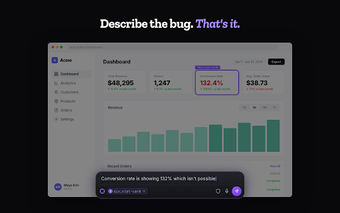
QA Mode is a free Chrome add-on designed to simplify the bug reporting process for development teams. By allowing users to capture issues through voice or text, it automatically generates a developer-ready ticket. Key features include the ability to take full-page screenshots, capture console errors, and document network requests, all while ensuring sensitive information is redacted.

The tool is user-friendly, requiring only a hotkey press to initiate the capture process. Once the issue is described, AI structures the report with essential details such as steps to reproduce and expected versus actual behavior. QA Mode integrates seamlessly with popular project management tools like GitHub, Jira, Linear, and Trello, making it an essential resource for product teams, including PMs, designers, developers, and QA testers.

 0/1

App specs

  • License

    Free

  • Version

    1.1.0

  • Latest update

  • Platform

    chrome

  • Language

    English

  • Developer

Program available in other languages


User reviews about QA Mode

Have you tried QA Mode? Be the first to leave your opinion!

Add review

Top extensions for Google Chrome

Top downloads Add-ons & Tools for Google Chrome

Top downloads Add-ons & Tools for Google Chrome

Top downloads Add-ons & Tools for Google Chrome

Related topics about QA Mode

Softonic

Is QA Mode safe?

100/100

Score result: Clean

This file passed a comprehensive security scan using VirusTotal technology. It is safe to download.

  • Virus free
  • Spyware free
  • Malware free
  • Verified by Security Partners

    VirusTotal logo

Scan Info

Last scan
Friday, March 27, 2026
Scan provider
VirusTotal

Softonic security commitment

QA Mode has been thoroughly scanned by our advanced security systems and verified by industry-leading partners. This file comes from the official developer and has passed all our security checks, showing no signs of viruses, malware, or spyware. For more information, visit our Security and Trust Center